Case study
Resume Builder
Core Web Engineering Project · Mastered DOM manipulation and print layout architecture.
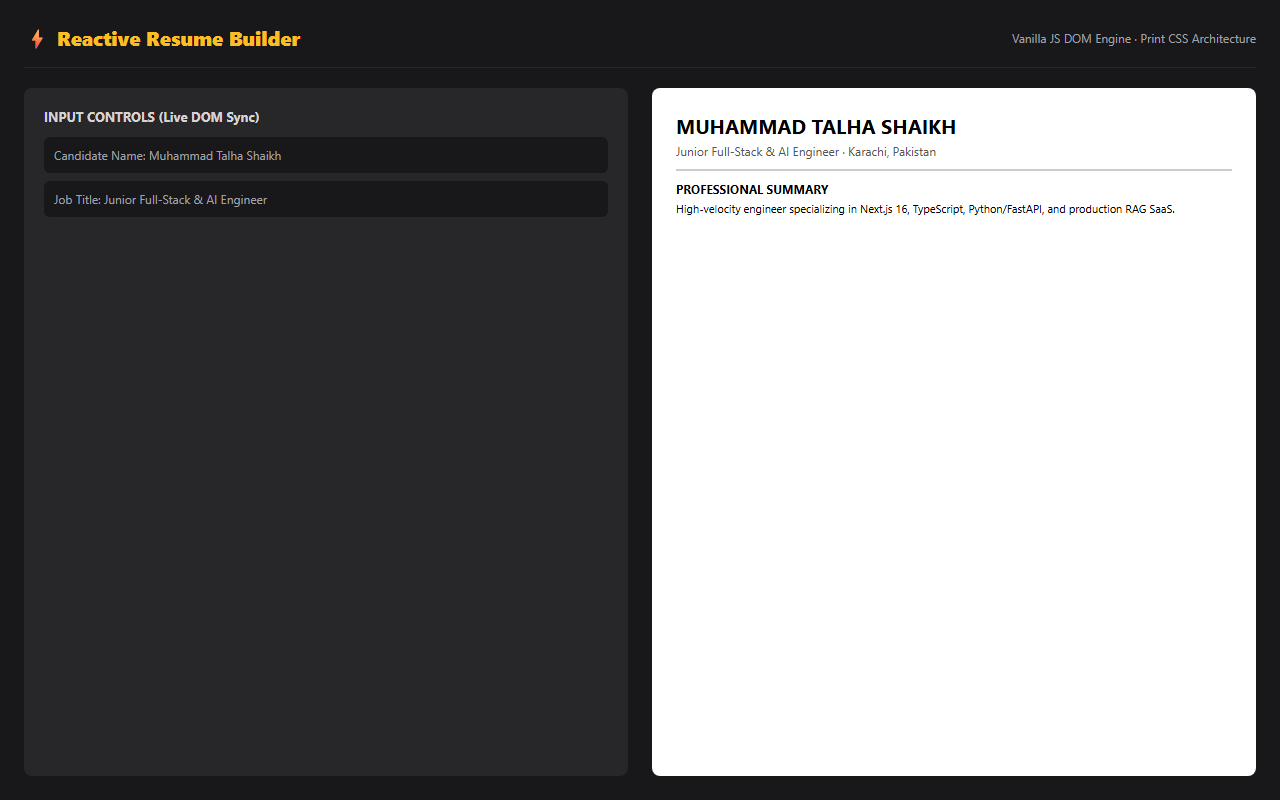
A fast, lightweight resume creation engine crafted in vanilla HTML5, CSS3, and JavaScript without external frameworks, featuring real-time preview and ATS print styles.
Overview
Engineered a zero-dependency resume builder in vanilla JavaScript to master raw browser APIs, event lifecycles, and exact print CSS formatting for professional document generation.
Problems I ran into
…and how I worked through them.
The problem
Low-latency DOM updates without reactive framework state management.
How I solved it
Implemented delegated event listeners and targeted DOM node mutations for sub-10ms UI sync.
The problem
Print output containing form controls and page-break layout breakages.
How I solved it
Engineered dedicated @media print CSS rules to isolate the resume canvas, normalize margins, and prevent broken bullet points.
The problem
Data loss on accidental navigation or tab close.
How I solved it
Added debounced localStorage sync to serialize form state automatically as the user types.
UI / UX decisions
- Split-pane layout with editing controls on the left and live document rendering on the right.
- Single-column responsive flow on mobile devices with toggleable preview mode.
- Clean, executive typographic hierarchy following standard recruiter scanning patterns.
What I learned
- Deep understanding of browser rendering pipelines and event dispatching.
- Precision print CSS design for downloadable document exports.
- Resilient client-side persistence strategies without backend dependencies.